Removable Media Security for OT: How to Control Every File Entering Your Industrial Network
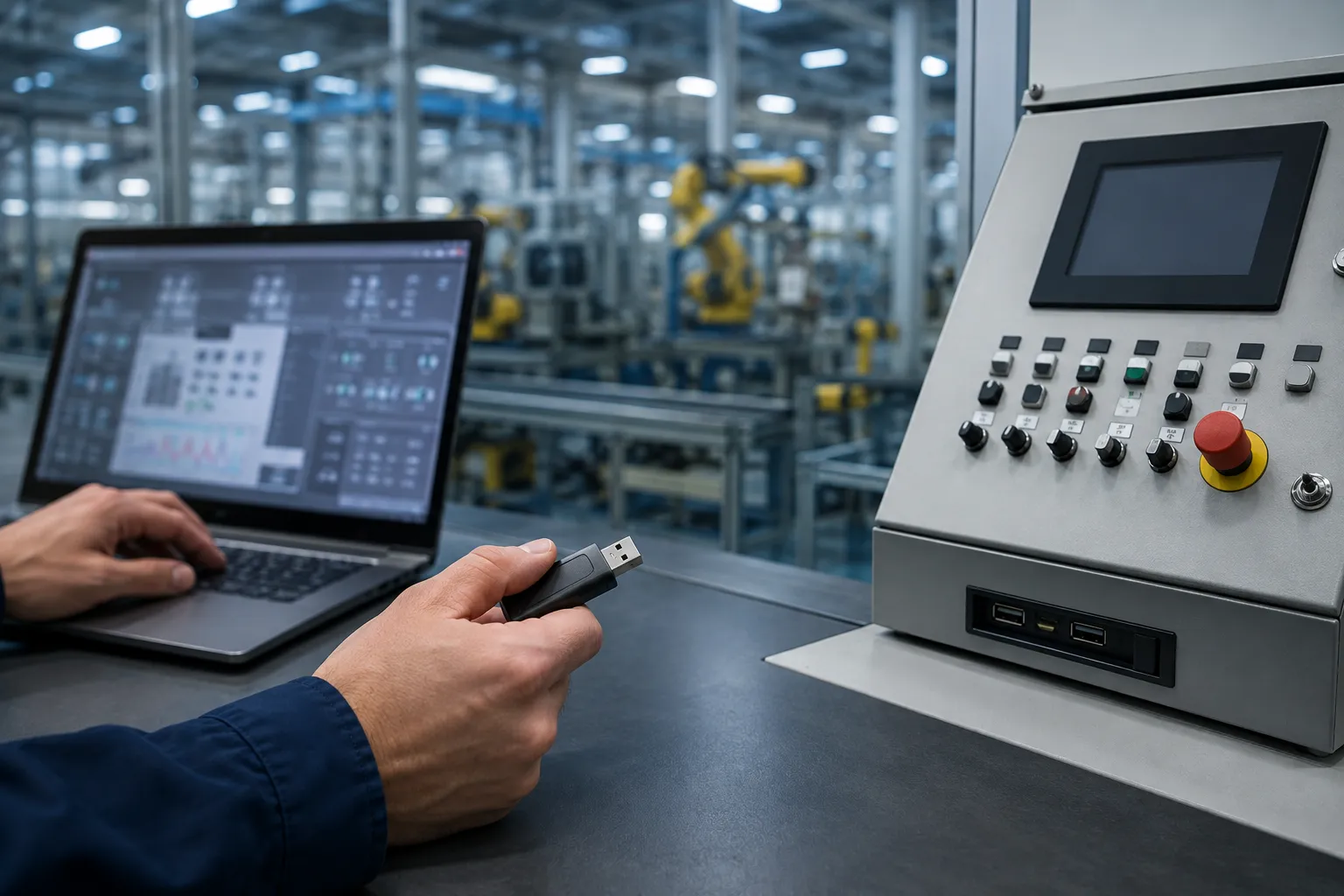
Stuxnet reached the centrifuges at Natanz on a USB drive. Fifteen years later, removable media remains one of the most reliable ways into an industrial network, and for the same reason it worked then: the drive walks past every perimeter control you own, carried by someone with legitimate access, and plugs directly into a system at Level 2 or Level 1 of the control network.
This is not a legacy problem that modern architecture has solved. It is a structural feature of how industrial operations work. PLC programming requires project files. Firmware updates arrive from OEMs. Vendor engineers bring laptops. Configuration backups get carried off site. Production data moves out for analysis. Every one of those workflows depends on a physical device crossing the boundary between an untrusted environment and a cyber-physical system that controls something physical.
Removable media control is practice number eight in our OT security best practices guide, and it is consistently one of the highest-value, lowest-cost controls available to an industrial operator. This guide covers how removable media security actually works in OT environments, how scanning kiosks and file inspection appliances are architected, what to look for when evaluating vendors, and how it all maps to IEC 62443.
Why Removable Media Is Still a Primary OT Attack Vector
The Air Gap Does Not Stop It
Facilities that describe their control networks as air-gapped are describing network isolation, not physical isolation. A true air gap stops network-borne attacks. It does nothing to stop a file arriving on physical media, and in practice the air gap is precisely why removable media traffic is heavy in those environments: if there is no network path, everything moves by USB.
This inverts the usual risk assumption. The more isolated the network, the more dependent it is on removable media, and the more valuable a single infected device becomes to an attacker. Air-gapped network media scanning is not an optional overlay on isolation; it is the control that makes isolation meaningful.
The Workflows That Create the Exposure
Every industrial site runs a predictable set of workflows that require files to cross into the OT environment:
-
PLC and controller programming: project files carried on USB from an engineering workstation to the plant floor, then loaded onto controllers
-
PLC firmware file scanning and updates: firmware images downloaded from a vendor portal on an IT machine, transferred to media, and applied to field devices
-
Vendor and OEM maintenance: contractor laptops and service drives connected directly to control systems during commissioning or troubleshooting
-
Configuration and project backups: exports of DCS configuration, SCADA databases, and controller logic moved off the control network for backup and recovery
-
Production and historian data transfer: process data extracted for reporting, quality analysis, or regulatory submission
-
Patch and antivirus signature delivery: security updates carried into environments where no update path exists, which is a control that itself introduces risk
Each of these is a legitimate operational necessity. None can simply be banned. The security objective is not to eliminate removable media from OT, it is to ensure that no file reaches a control system without inspection and authorization.
What Actually Arrives on the Drive
The threats that arrive by removable media in industrial environments differ from generic malware. The most consequential categories are: commodity ransomware that encrypts engineering workstations and historian servers; worms designed to propagate through USB and network shares; malicious or trojanized firmware images that persist below the operating system; weaponized project files and PLC logic that alters control system integrity without changing anything visible to the operator; and living-off-the-land tooling that uses legitimate engineering software to move laterally.
The documented ICS attack vectors targeting North American critical infrastructure include removable media as an initial access method in multiple incidents, precisely because it defeats network segmentation by not using the network at all.
Why IT Antivirus Fails as OT Removable Media Protection
Enterprise endpoint security was built for a different problem, and its assumptions break in industrial environments in four specific ways.
Probabilistic Detection Versus Deterministic Enforcement
Signature and heuristic-based antivirus makes a probability judgment: this file is probably safe. In an office environment, a wrong answer means a workstation gets reimaged. On an engineering workstation connected to a running process, a wrong answer can mean unauthorized code reaching a controller. Industrial environments need deterministic malware scanning: a policy-enforced decision where files that cannot be positively validated are blocked rather than allowed pending analysis.
The practical distinction is what happens to an unknown file. A probabilistic system passes it and generates an alert. A deterministic system blocks it and requires explicit authorization. In OT, the second behavior is the correct default.
No Cloud Lookup in an Isolated Network
Most modern endpoint protection depends on cloud reputation services for verdicts on unknown files. In a segmented or air-gapped OT network there is no path to those services. The scanning capability has to work fully offline, with signature and engine updates delivered through a controlled process rather than a live internet connection.
Industrial File Formats Are Not Understood
Enterprise scanners understand executables, documents, and archives. They do not understand vendor project file formats from Siemens TIA Portal, Rockwell Studio 5000, Emerson DeltaV, Honeywell Experion, or Yokogawa CENTUM. They do not parse controller firmware images. A file that is malicious in an industrial control system context can be entirely unremarkable to an IT scanner, because the scanner has no model of what the file does when it reaches a PLC.
Agents Cannot Be Installed Where They Are Most Needed
The systems most exposed to removable media, HMIs running unsupported Windows versions, engineering workstations under vendor support agreements that prohibit third-party software, and embedded operator panels, are frequently the systems where an endpoint agent cannot be installed. This is the same constraint that shapes OT patch management. The control has to sit outside the endpoint.
|
The architectural consequence: Because you cannot reliably protect the endpoint, removable media security in OT has to be enforced at the boundary, before the device ever reaches a control system. This is why the scanning kiosk model, rather than the endpoint agent model, dominates industrial deployments. |
How a Media Scanning Kiosk Works
An OT media scanning kiosk, sometimes described as an industrial USB malware scanner or an OT file scanning appliance, is a dedicated, hardened station positioned at the physical entry point to a controlled area. Every removable device that will be used inside the OT environment is presented to the kiosk first.
The Inspection Pipeline
Kiosk implementations vary, but a well-designed inspection pipeline performs the following stages in sequence:
-
Device identification and control: the physical device is identified, recorded, and checked against policy. Unrecognized or unapproved device classes are rejected at this stage.
-
Structural and format validation: each file is parsed and validated against its declared format. Files whose internal structure does not match their extension, or which contain malformed headers characteristic of exploit attempts, are flagged.
-
Multi-engine malware scanning: files are scanned against multiple independent detection engines rather than one. Multi-engine scanning materially increases detection rates for commodity malware and reduces dependence on any single vendor signature set.
-
Content disarm and reconstruction: for document and image formats, active content such as macros, embedded scripts, and OLE objects is stripped and the file is rebuilt from validated components. This handles unknown threats that signature scanning misses, because it removes the capability rather than detecting the payload.
-
Industrial file handling: project files, firmware images, and configuration exports are validated against expected structure and, where the platform supports it, checked against vendor-published hashes.
-
Sanitized output to controlled media: validated files are written to a separate, controlled device or transferred to a staging location inside the OT boundary. The original untrusted device never enters the controlled area.
-
Audit logging: every device, every file, every verdict, and every operator action is recorded, producing the transfer audit trail that policy and audit requirements depend on.
Where the Kiosk Sits Physically and Logically
Placement determines whether the control actually works. The kiosk belongs at the physical boundary people cross: the control room entrance, the plant access point, the contractor check-in desk. If someone can reach an engineering workstation without passing the kiosk, the control is advisory rather than enforced.
Logically, the kiosk sits at Level 3 or in the industrial DMZ of the Purdue Model architecture, with no direct connectivity to Level 2 or Level 1 systems. It is a boundary inspection point, and treating it as an OT boundary file inspection control rather than an IT endpoint is what keeps its own attack surface manageable.
Secure File Transfer Between IT and OT Environments
Not every file needs to move by hand. Where a network path is acceptable, a governed secure file transfer solution for IT/OT environments removes the physical media entirely, which is generally the stronger control.
The architecture that supports this is the industrial DMZ. A file transfer broker positioned in the OT DMZ terminates connections from both sides, so no session ever traverses end to end from the corporate network to the control network. Files are deposited from IT, inspected in the DMZ using the same pipeline logic as a kiosk, and then collected from the OT side after validation.
For higher-assurance environments, a unidirectional gateway or data diode enforces one-way flow at the hardware level. Data can leave the OT network for historian replication and reporting, and nothing can return. Where files must move inward, that path is handled separately and with tighter controls, typically through the kiosk process.
Vendor file delivery deserves specific attention. Secure vendor file transfer for OT should not depend on the vendor emailing a firmware image to an engineer who then carries it in on a personal drive. A defined intake path, with the file landing in the DMZ, passing inspection, and being released against an approved change record, converts an ad hoc habit into a governed process. This pairs directly with zero trust remote access controls for the sessions themselves.
Evaluating OT Removable Media Protection Vendors
The market for industrial removable media scanning solutions includes established vendors with purpose-built OT kiosk hardware, enterprise data sanitization platforms adapted for industrial use, and general-purpose scanning products marketed into OT without meaningful adaptation. The evaluation criteria below separate them.
|
Evaluation Criterion |
What to Verify |
Why It Matters in OT |
|
Offline operation |
Full scanning capability with no internet or cloud dependency; documented offline update process |
Air-gapped and segmented networks have no cloud path; a cloud-dependent product is unusable at the boundary |
|
Multi-engine scanning |
Number and independence of detection engines; whether engines can be updated independently |
Single-engine detection rates are materially lower; independence avoids correlated blind spots |
|
Content disarm and reconstruction |
Which file formats are supported for CDR, not just which are scanned |
CDR handles unknown threats; scanning alone only handles known ones |
|
Industrial file format support |
Named support for the specific vendor project and firmware formats in your installed base |
Generic scanners cannot validate a Rockwell or Siemens project file meaningfully |
|
Policy enforcement model |
Whether unknown files are blocked by default or passed with an alert |
Deterministic blocking is the correct OT default; alert-only is an IT behavior |
|
Audit trail completeness |
Per-device, per-file, per-operator logging with exportable records |
Required for IEC 62443 and NERC CIP evidence; also essential for incident reconstruction |
|
Deployment footprint |
Rack, desktop, or portable form factors; power and environmental tolerance |
Kiosks live in plant environments, not data centers |
|
Operator workflow |
Time per scan; behavior under high-volume shift change conditions |
A kiosk that adds ten minutes per contractor will be bypassed within a month |
|
Update supply chain |
How signature and engine updates are delivered and validated for an offline unit |
The update path is itself an inbound file path and needs the same scrutiny |
|
The criterion most often missed: Operator workflow. Technically excellent kiosks fail in production because they are slow, awkwardly placed, or add friction at shift change. A control that people route around provides no protection. Evaluate the scan-to-release time under realistic peak load, not the vendor demo conditions. |
Removable Media Security and IEC 62443
Removable media control is not a bolt-on. It maps to specific requirements within IEC 62443, and framing your program against those requirements makes both the technical case and the audit case simultaneously.
|
Requirement Area |
IEC 62443 Reference |
How Removable Media Control Satisfies It |
|
Portable and mobile device control |
IEC 62443-3-3 SR 2.3 |
Directly addressed: policy enforcement, scanning, and authorization for portable media before use |
|
Malicious code protection |
IEC 62443-3-3 SR 3.2 |
Multi-engine scanning and content disarm at the boundary where endpoint agents cannot be deployed |
|
Software and information integrity |
IEC 62443-3-3 SR 3.4 |
Validation of firmware images and project files before they reach controllers |
|
Audit record generation |
IEC 62443-3-3 SR 2.8 |
Per-transfer logging providing evidence of every file crossing the boundary |
|
Service provider security |
IEC 62443-2-4 |
Governs contractor and OEM media handling as part of vendor security requirements |
For North American operators, NERC CIP addresses this territory through CIP-003 and CIP-007 transient cyber asset and removable media requirements, which mandate mitigation of malicious code risk from removable media used with BES cyber systems. The technical controls that satisfy IEC 62443 SR 2.3 generally satisfy the NERC CIP requirements as well, which is why building the program against IEC 62443 and mapping upward is more efficient than building separately for each framework.
Building a Removable Media Security Program
Technology alone does not deliver this control. A kiosk with no policy behind it becomes an expensive coat rack. The program has four components.
1. Policy and Governance
Define which device classes are permitted, who may authorize a transfer, what happens when a scan fails, and how exceptions are approved and recorded. The policy needs to name the approver and the escalation path, because the operational reality is that a vendor will eventually arrive with an urgent firmware update and no time budgeted for process. Deciding in advance who can authorize that is what prevents the process being bypassed under pressure.
2. Physical and Technical Controls
Kiosk placement at enforced entry points. Port control on hardened engineering workstations through group policy, device control software, or physical port blockers where software controls are not viable. Issued, tracked, and controlled media for internal transfers, so that personal drives never enter the workflow. This is engineering workstation USB security in practical terms: the workstation should not accept an arbitrary device even if someone plugs one in.
3. Process Integration
The media control process needs to sit inside the existing management of change process rather than beside it. A firmware update that requires a file transfer should trigger both the change approval and the media authorization as one workflow. Contractor onboarding should include media handling requirements. Turnaround planning, when media volume spikes dramatically, should account for kiosk throughput.
4. Training and Enforcement
Engineers and contractors need to understand why the control exists, not just that it does. Training that explains how a USB-borne compromise actually reaches a controller produces meaningfully better compliance than training that presents the kiosk as a rule. Periodic verification, checking whether media is genuinely being scanned or whether workarounds have emerged, is what keeps the control real over time. This is the kind of finding a periodic OT risk assessment is designed to surface.
Sector-Specific Considerations
Oil and Gas
Remote and unmanned sites create the hardest version of this problem. A compressor station visited monthly by a technician with a laptop has no kiosk and no supervision. Practical approaches include issuing pre-scanned, controlled media for field work, requiring a kiosk pass at the regional office before dispatch, and treating any device returning from a remote site as untrusted. OT security for oil and gas operations has to account for the distributed nature of the asset base rather than assuming a single controlled perimeter.
Chemical and Process Manufacturing
The presence of safety instrumented systems raises the consequence ceiling. Any media that will touch an SIS engineering workstation warrants a separate, stricter authorization path than general process control media. Chemical plant OT security should treat SIS-bound file transfers as a distinct control category with its own approval requirements.
Water and Wastewater
Smaller utilities often have no dedicated security staff and rely heavily on contractors, which makes vendor media the dominant risk pathway. Water utility OT security programs generally get more risk reduction from a single well-placed kiosk and a contractor media policy than from monitoring technology, simply because the contractor pathway is where the exposure concentrates.
Power and Utilities
NERC CIP transient cyber asset requirements make this a compliance obligation rather than a discretionary control for BES cyber systems. Documentation of the process, not just its existence, is what auditors examine.
Frequently Asked Questions
Can we just ban USB drives in our OT environment?
Almost no industrial facility can. PLC programming, firmware updates, vendor maintenance, and configuration backups all require file movement, and in segmented or air-gapped networks removable media is often the only available path. Attempting a full ban without providing an alternative transfer mechanism typically produces shadow workarounds that are less visible and more dangerous than a governed process. The realistic objective is control and inspection, not elimination. Where a network path is acceptable, a DMZ-based secure file transfer removes the need for physical media on that specific workflow.
What is the difference between a media scanning kiosk and standard antivirus?
A scanning kiosk is a dedicated boundary control that inspects devices before they enter the controlled area, using multiple detection engines plus content disarm and reconstruction, and enforcing a block-by-default policy on files it cannot validate. Standard antivirus runs on an endpoint, uses a single engine, typically depends on cloud reputation lookups, and generally allows unknown files while generating an alert. In OT the kiosk model is preferred because the endpoints most at risk, legacy HMIs and vendor-controlled engineering workstations, frequently cannot host an agent at all. The distinction between passive and active security approaches in OT follows similar logic.
How does removable media security work in a genuinely air-gapped network?
Air-gapped environments need the control more, not less, because with no network path all file movement happens on physical media. The kiosk must operate fully offline, with detection engine and signature updates delivered through a controlled, verified process, typically on dedicated update media that is itself validated. When evaluating vendors for an air-gapped deployment, the offline update supply chain deserves as much scrutiny as the scanning capability itself, because that update path is an inbound file path.
Which IEC 62443 requirement covers removable media?
The most direct mapping is IEC 62443-3-3 SR 2.3, portable and mobile device control, which requires the capability to control the use of portable and mobile devices. SR 3.2 covers malicious code protection and SR 3.4 covers software and information integrity, both of which removable media inspection supports. IEC 62443-2-4 addresses service provider requirements, which is where contractor and OEM media handling obligations sit. See our IEC 62443 guide for how these requirements fit within the broader standard structure.
How do we handle vendor and contractor media without disrupting maintenance schedules?
Build the media check into contractor onboarding rather than treating it as a gate at the moment of work. Provide the scan at the check-in point where contractors already stop for site induction and PPE. Pre-authorize routine vendors for defined file categories so that standard maintenance does not require ad hoc approval. Where a vendor needs to bring a firmware image, request it in advance through the DMZ file transfer path so it can be inspected and staged before they arrive. The failure mode to avoid is a process that only functions when nobody is in a hurry.
What should we implement first if we have no removable media controls today?
Start with two things in parallel: a written policy defining permitted devices, authorization authority, and the exception path; and port control on engineering workstations, which are the highest-consequence endpoints and often the easiest to lock down through existing group policy. These cost very little and close the widest gap. Kiosk hardware selection and deployment follows once you know your actual transfer volumes and workflows, which a short OT risk assessment will establish. Buying hardware before understanding the workflows tends to produce a kiosk in the wrong place.
|
Need help designing your removable media security program? Arista Cyber helps industrial operators design, specify, and implement removable media controls that hold up in live OT environments. We work vendor-neutrally, so the architecture fits your plant rather than a product roadmap. |
Facing tougher cyber security challenges?
Talk to Arista Cyber about your OT security posture.
Request a consultationRecent posts

Port and Maritime OT Cybersecurity: Protecting Terminal Systems, Gate Operations and Industrial Networks

Supply Chain Cybersecurity for Manufacturers: Vendor Access, ERP Dependencies and OT Continuity